
Studio
Make your own remix.
An intro only 8 beats long? A break that comes too soon? Build the version you want in 4Track, and export it to your library.
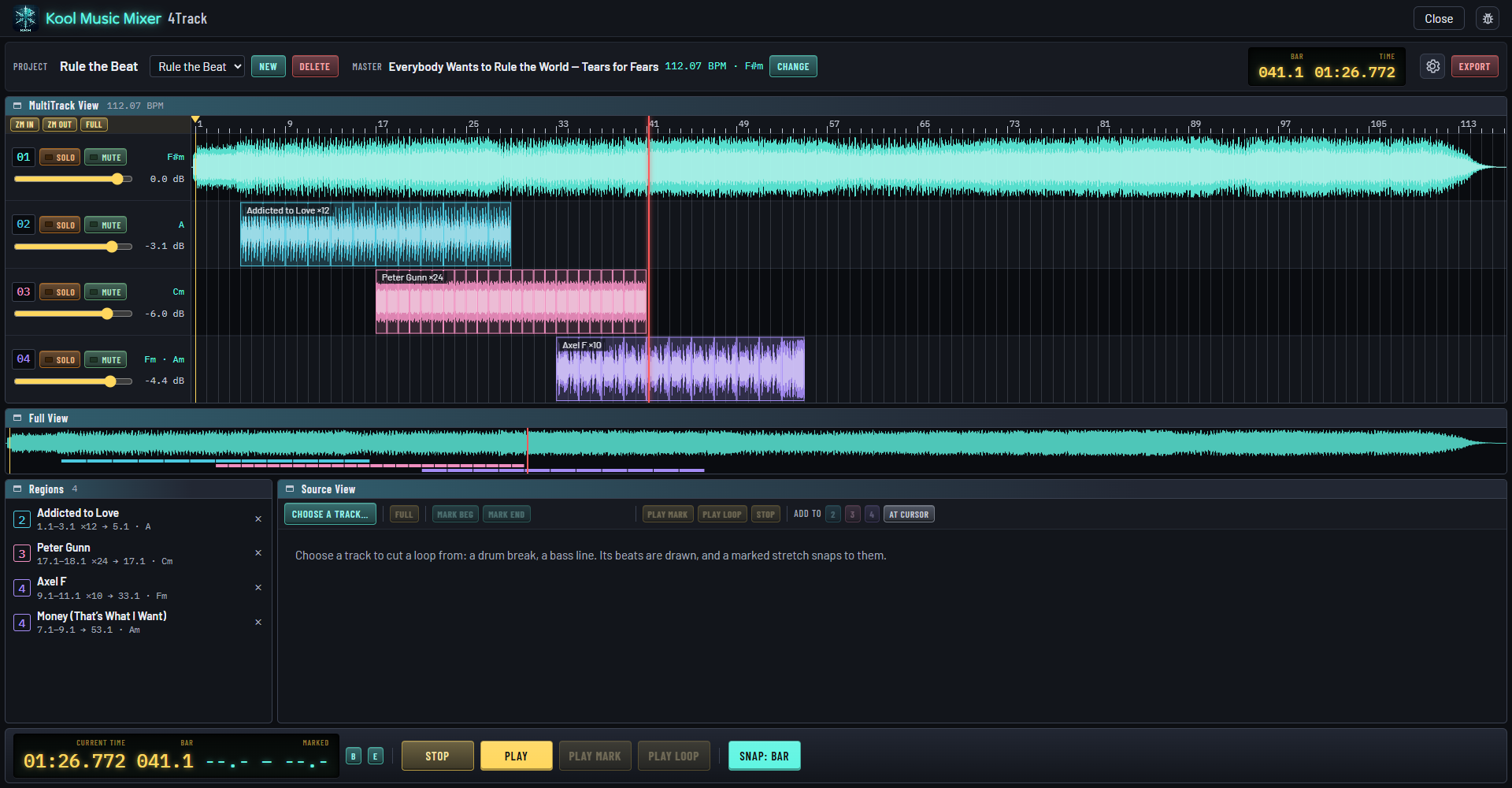
4Track
Four lanes. Your song on the first.
On the other three go pieces cut from anything else in your library: a drum break, a bass line, a longer intro.
Start from the song
Right-click a song in your library and choose Edit in 4Track. It goes on lane 1.
Cut a piece, place it
Mark it on whole bars or beats, put it on lane 2, 3 or 4, and repeat it.
Locked to the beat
Every piece lands on your song's own beats, even where a drummer's tempo drifts, and keeps its pitch.
A nod to SAW, the Software Audio Workshop: the PC's iconic multitrack of the 1990s, where many of us made our first remixes. The same big, bright keys, the same one-screen simplicity.
A remix step by step, in the manualRearrange and edit
The song is yours to rearrange.
Split it into sections and play them in any order. Everything on the other lanes slides along with it.
Shape the song
Play the intro twice, move the break later, drop a verse you do not need.
Shape each piece
Trim it by its ends, split it, copy it, fade it in and out, set its level.
Change your mind
Undo and Redo, up to the last hundred changes. The project saves as you go.
Export
A new file, in your library.
When it sounds right, export it. Your music files are never changed.
Press Export
Give the mix a name and choose a format.
A new file
WAV, AIFF or FLAC at 24-bit, or MP3. Nothing is written over.
In your library
Added as a Remix Edit and analyzed like any other track, ready for the decks.
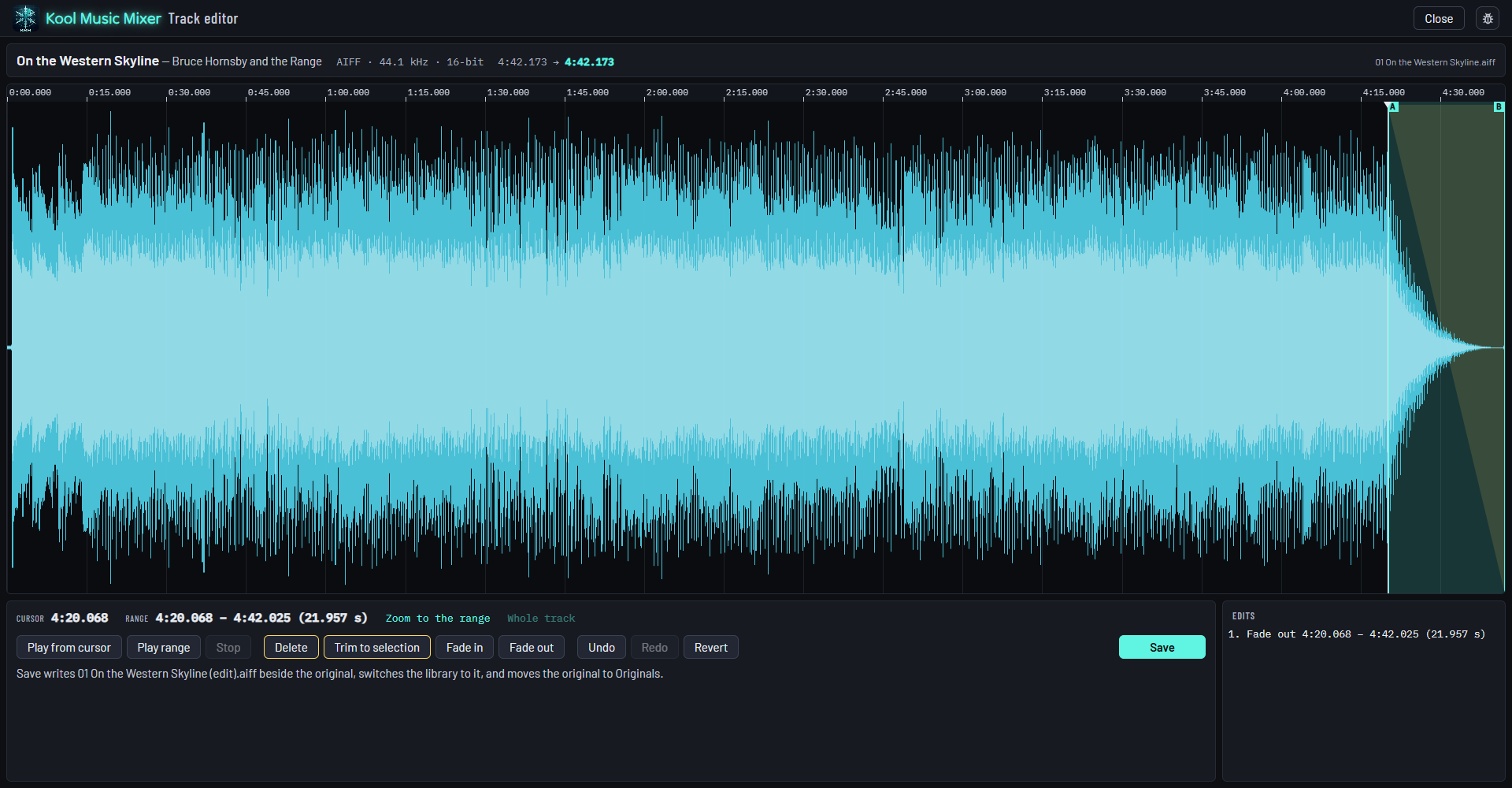
Track editor
Fix a track. Keep the original.
A stray second song at the end of a rip, a count-in, a fade cut short: cut, trim and fade it out.
- Delete, Trim to selection, Fade in, Fade out, with Undo and Redo.
- What you save is a new file beside the original, and your library switches to it, ratings and cue points kept.
- The original is kept, untouched, in a folder of its own. Never changed, never deleted.
Play your remix out
Load it on a deck: Sync Start, beat lock and Match Key keep it in the mix.
Explore Mix →Every track measured
Tempo, key and beat grid, found as each track arrives, so 4Track can cut on the beat.
Explore Library →Then let it play
AutoPlay mixes your library by itself, each track handed over where a DJ would.
Explore AutoPlay →Your remix, made tonight.
Free during the beta. Register, download, and open 4Track on a favorite song.