
Entertainer Stage Module
Every stage, one console.
For DJs at venues where entertainers take the stage in turn. The rotation runs in the same app as your music, not in a second program or on a clipboard.
Venues
Set up each venue once.
Its stages, your contact there, and the entertainers who work there. Then every shift starts from that list.
Stages in order
Set them across the console as they stand in the room. One closed for a while can be taken out of use.
Stage names only
A stage name, a phone number and notes if you like. No legal names are kept.
More than one venue
An entertainer who works at two venues is entered at each, under the name she uses there.
The shift
Start the shift, check in, go.
Three steps from walking in to the first entertainer on stage.
Start the shift
Choose the venue and press Start the shift.
Check in
Tonight's entertainers from the venue's list. Each joins the rotation, Ready.
Next up
The one coming off goes to the end of the line; the next one Ready goes on.
- Kept as it goes: closing the app or a restart loses nothing of the shift.
The console
The whole room at a glance.
It opens under your library, below the decks, or pops out to a tab of its own.
Every stage
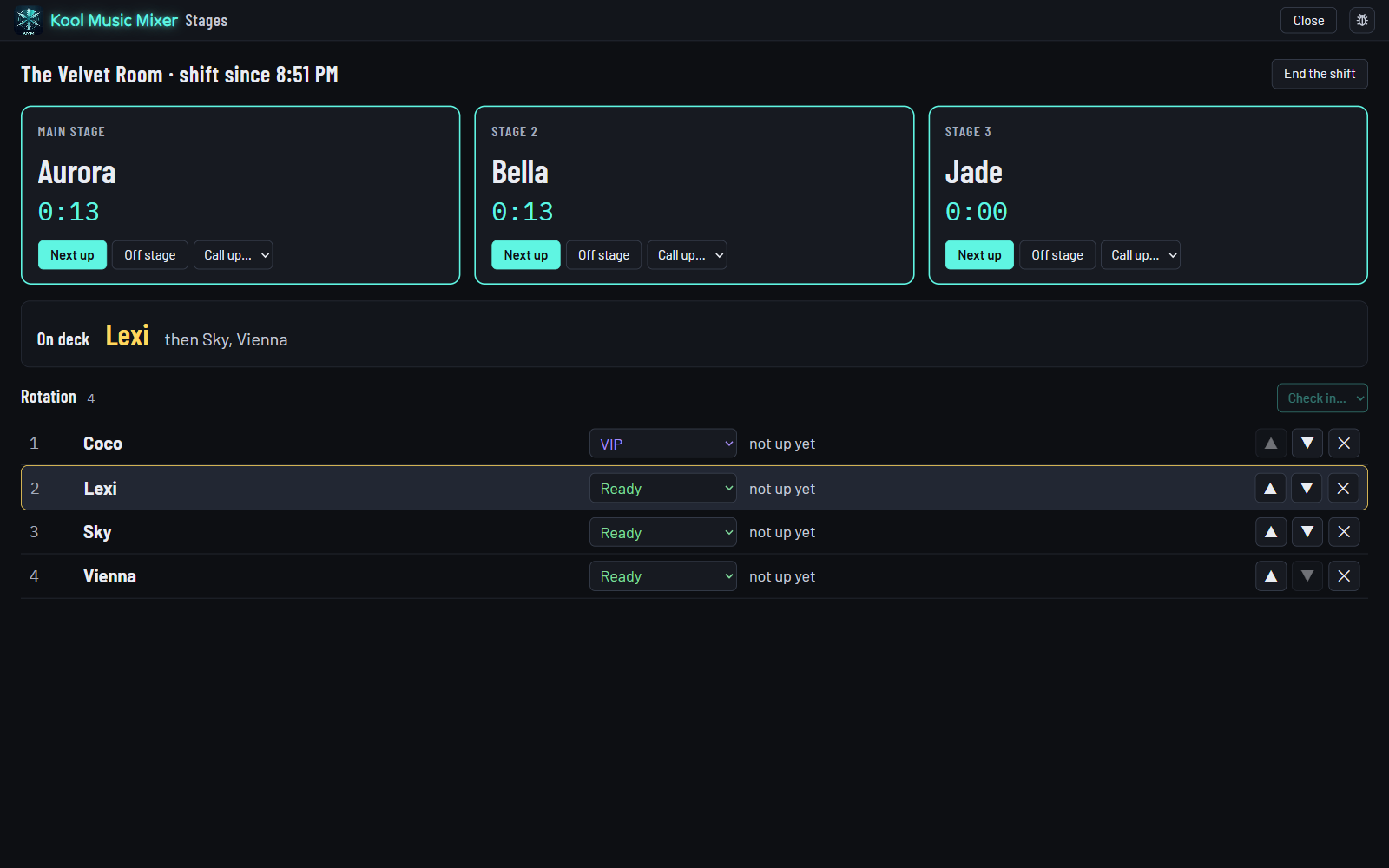
Who is on each stage, and a clock of how long she has been up.
On deck
Who is next, in large type, and the two after her.
Breaks keep their place
On a break, in a private booking or VIP: the rotation passes her over and she is first again when she is Ready.
Call up puts anyone on a stage out of turn. Off stage sends her to the end of the line and leaves the stage open.
Records
Every shift on the record.
Starting a shift starts a gig, so the music you played that night is kept in gig history: find it, print it or export it.
- Off as the app comes. Turn it on in Options, Entertainers, and a Stages key appears in the top bar.
- Included in every plan, with no add-on to buy: see pricing.
Mix it on the beat
Sync Start, beat lock and Match Key keep every transition clean.
Explore Mix →Music while you run the room
Hand the mixing to AutoPlay while you keep the rotation moving.
Explore AutoPlay →Every track ready
Tempo, key, beat grid and level, measured as your music arrives.
Explore Library →The music and the rotation, in one app.
Free during the beta. Register, download, and set up your venue tonight.