Kool Music Mixer
DJ software for Windows and Mac
The whole gig, in one app.
DJ decks, AutoPlay, karaoke, guest photos and the run of show, for the music you own.
Free while in beta · Windows 11 and Mac · Launches January 1, 2027
New 8 State · in 0.9.20
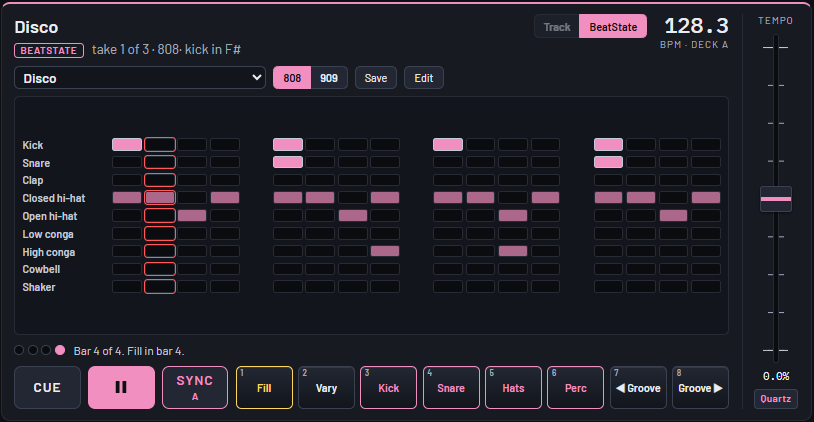
A beat machine on every deck.
Flip a player to 8 State, pick a groove and press play. It comes in on the next bar of the track beside it and stays on its beat, through the deck's own fader, EQ and filter. No drummer needed.
Features
Everything the night needs
Nine sets of tools and what you bring with you, in one library: yours.
Mix
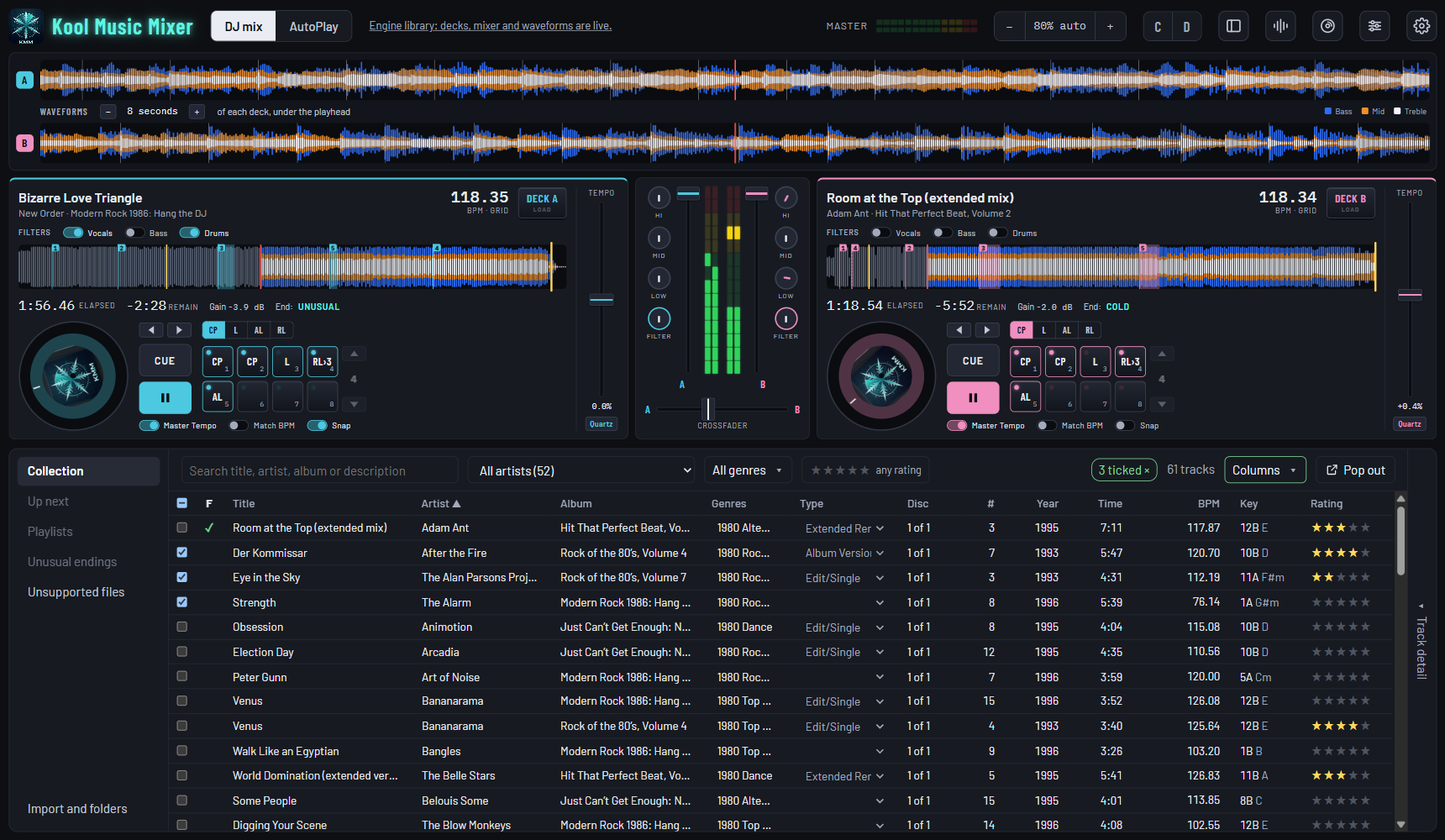
Two or four decks that land on the beat and stay there. Match Key, loops, stem separation and a vocal remover, and your DJ controller.
Explore Mix →8 State New
A beat machine on every deck. Pick a groove and it plays on the beat of the track beside it, through the deck's own fader and EQ.
Explore 8 State →Video
Your music videos mixed like any track, with wipes and fades, the master on a TV, and Video AutoPlay for the screen.
Explore Video →AutoPlay
An auto DJ that automixes: a crossfade placed for each pair of songs, all day, scheduled like a radio station.
Explore AutoPlay →Library
Every track measured as it arrives: tempo, key, beat grid and level. A CD ripper, records and tapes too, and your pool crates.
Explore Library →Mobile DJ
Weddings and events, planned and run from the decks: the run of show, guest photos and every gig on the record.
Explore Mobile DJ →Karaoke
Singers sign up from their phones by QR code, the lyrics go on the TV, and the key moves to suit the singer.
Explore Karaoke →Entertainer Stage Module
For venues with entertainers: stages, check-in and the rotation, in a console beside your decks.
Explore the Stage Module →Studio
Build your own remix in 4Track, a nod to SAW. Cut, trim and fade a track, with the original always kept.
Explore Studio →Controllers
The Pioneer DDJ-FLX4 out of the box. Basic functions on 50+ Pioneer DJ, Denon DJ and Roland controllers on plug-in, fine-tuned in a few clicks. Any other MIDI controller can be taught.
Explore controllers →Convert From Your Existing DJ Application
Coming from Serato? Your tracks and cue points come across, side by side with your own to compare. Nothing in Serato changes. Rekordbox, Traktor and VirtualDJ next.
How it works →Streaming Services
TIDAL is close. Apple Music and the other services are pending partner approval, so each can be used as far as it allows.
Where each stands →When you get home
And it is a serious music player.
Put the headphones on and play an album the way it was made: in order, gapless where the record is, at one level for the whole album.
- Your bit rate, not a stream's: a CD rip plays at its full 1,411 kbps.
- Lossless in and out: FLAC, AIFF and WAV, played and ripped.
- Hidden tracks found after the silence at the end of an album, and played on cue.
- Side one to the end
- An album in the record's order, each track played to its last note. Nothing mixed.
- 0 gap
- Where one track runs into the next, it hears it and joins them seamlessly.
- 1 level per album
- Leveled as a whole, so the quiet track stays as quiet as it was mastered.
- 32-bit float
- Nothing rounded down from the file to the mixer, and your files never changed.
The free beta
Up and running in four steps
Free while the beta continues. Registering is all it takes.
-
Register
Sign in with Google and give your name. About a minute, and free.
-
Download
One download for your Windows 11 PC or your Mac.
-
Connect your computer
Press Connect this PC in the app and approve it. The license renews itself.
-
Add your music
Choose your music folder. Your files stay on your PC and are never changed.
The whole gig, in one app.
Free during the beta, then a free version for good. Everything: $11.99 a month or $249 once.