Mobile DJ
The whole night, cued up.
Weddings, parties and corporate events, planned ahead and run from the decks. Your guests' photos and every song you played, kept for you.
Run of show
Plan the moments. Play them on time.
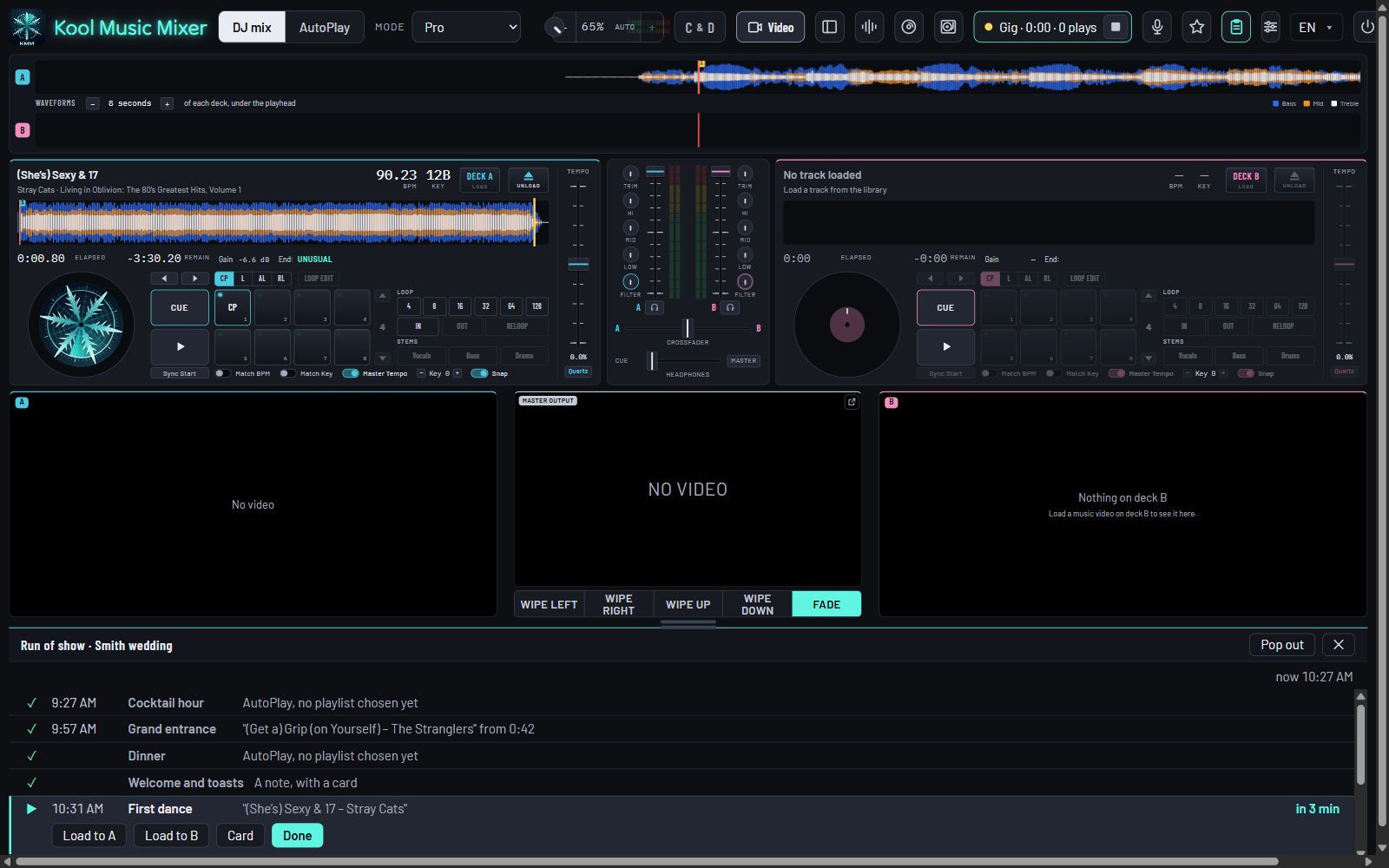
Cocktails, the grand entrance, dinner, toasts, the first dance, cake, the last dance. Build the running order before the gig, and run it from the decks on the night.
Start from a template
A wedding, a corporate event, a school dance or a karaoke night. Or build your own and keep it for next time.
Every moment knows its music
The entrance song from 0:42, an AutoPlay playlist for dinner, the first dance ready to load.
Counted down on the night
"First dance in 4 min", with Load to A or B at the right spot, and your announcement in big letters for the mic.
Run of show, in the manual · Print the plan for the venue or the couple.
Guest photos · new in 0.9.17
Every guest's photos, in one place.
Guests scan a QR code and share their photos of the night from their phones. No app to install, no group chat to chase. The host gets them all, and so do you.
The host says yes
Asked by email when you set it up. No QR code appears until they allow it.
Guests share
Scan, tick "These are mine to share", pick the photos. A name is optional.
A private gallery
Emailed to the host at the end: view, hide, delete, download them all. 30 days.
- Your PC keeps a copy of every photo, in a folder for the show.
- Set up with the run of show: turn it on in Options, Mobile DJ, then ask the host from the night's plan.
The app only passes the photos on and shows them. Whether the people pictured agreed to be shared is between you, your client and their guests: say so in your contract.
Guest photos, in the manualSong requests · new
Requests from every table. No line at the booth.
Guests scan a QR code on the table and type the song they'd like. You check each one, find it in your library, play it, and their phone says Played ✓.
Just type it
A song and artist, a name and a note if they like. Nothing to search, no app to install, and your library never leaves your PC.
You decide
Each request waits for your check before it shows, and rude words are turned away. Find, Mark played or ✕, right under your library.
Tips, if they like
The same page shows your Venmo, Cash App, PayPal and Zelle. Tips go straight to you. Print the QR card for the tables, two to a page.
Phone remote · new
The decks in your pocket.
On the mic for the toasts, out on the floor, at the bar: play, pause and fade from your phone. No app to install, no account, no internet needed.
- Scan once. A QR code in Options pairs your phone; it stays paired.
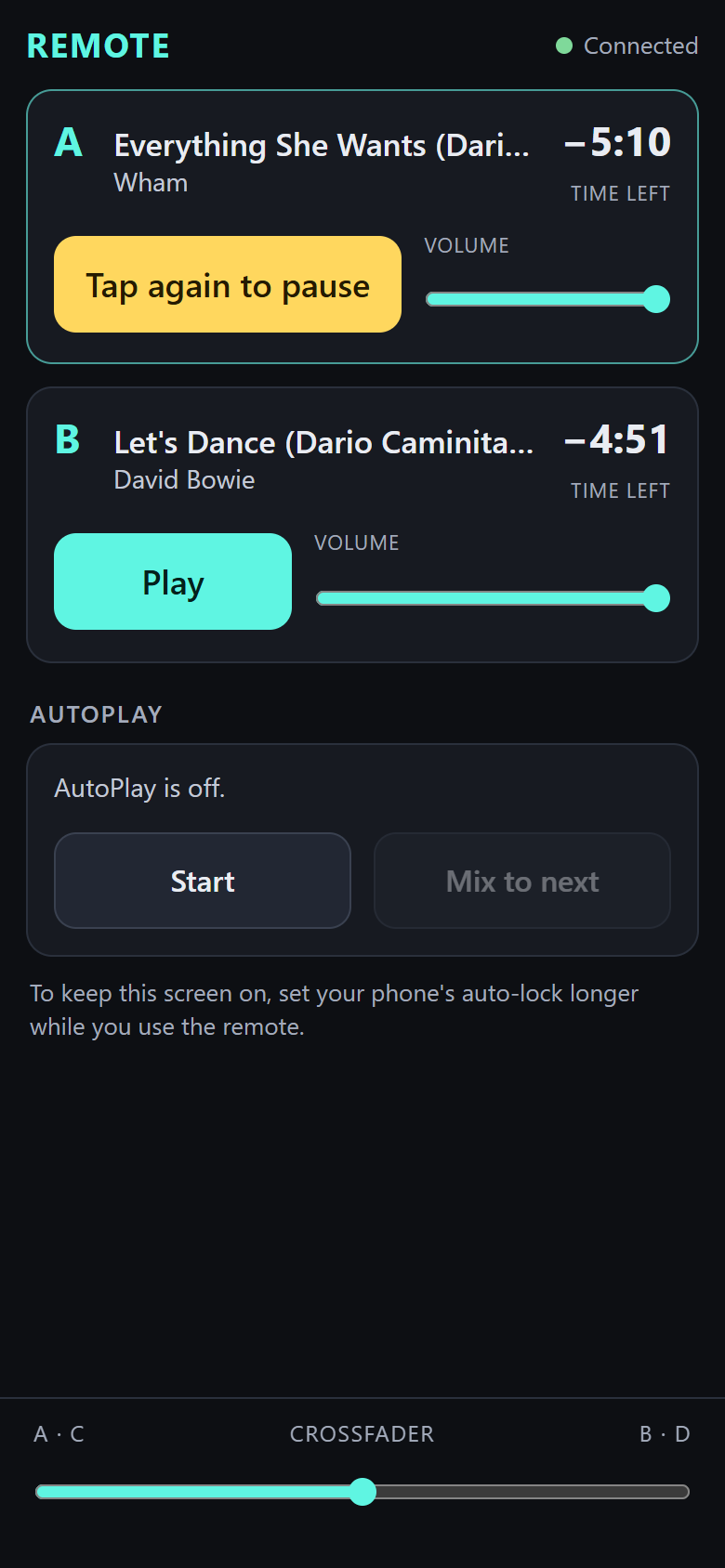
- Every deck at a glance: the song, the time left, Play and Pause, the volume, and the crossfader across the foot.
- AutoPlay and your sound-effect pads, a tap away.
- Pocket-proof. Pausing a deck or stopping AutoPlay takes a second tap.
- Yours alone. It runs on your PC's own network, and only phones you paired can use it.
Gig history
Every gig, on the record.
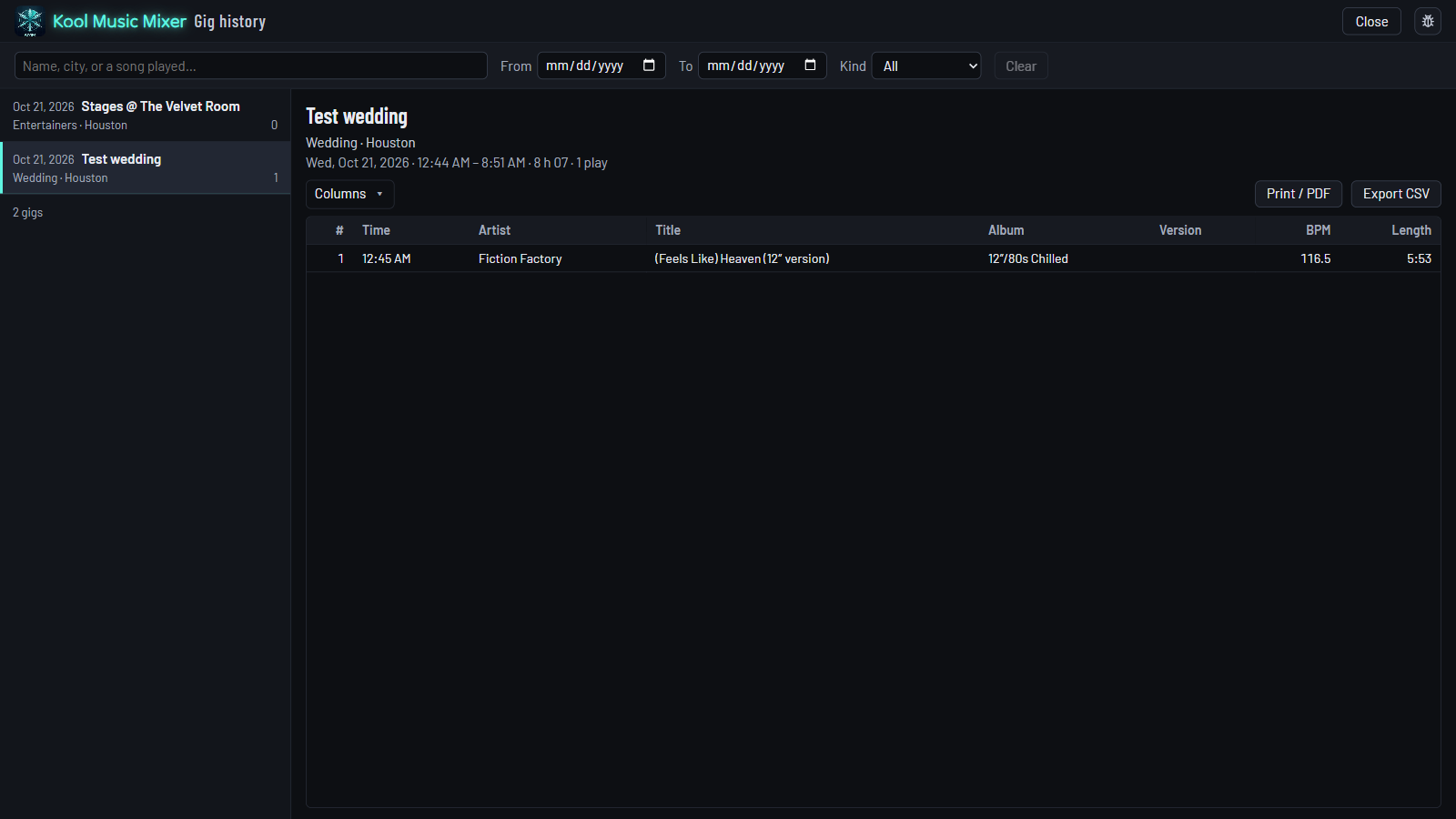
Press Start the gig, and the app keeps the playlist for you: every track you play, in order, with the time.
- Find any gig by its name, city, kind of event, or a song you played there.
- Print it or save a PDF for the couple, the planner or your own files.
- Export it for a spreadsheet.
Mix it on the beat
Sync Start, beat lock and Match Key keep every transition clean.
Explore Mix →Dinner on AutoPlay
Hand the dinner hour to AutoPlay while you get the dance floor ready.
Explore AutoPlay →Karaoke after cake
Singers sign up from their phones, the lyrics go on the TV.
Explore Karaoke →The whole gig, in one app.
Free during the beta. Register, download, and plan your next event tonight.