
Karaoke
Karaoke night, from your decks.
Selling karaoke as an add-on to your gigs? Play the karaoke tracks you already own, with the lyric screen on the TV and the singers signed up from their phones.
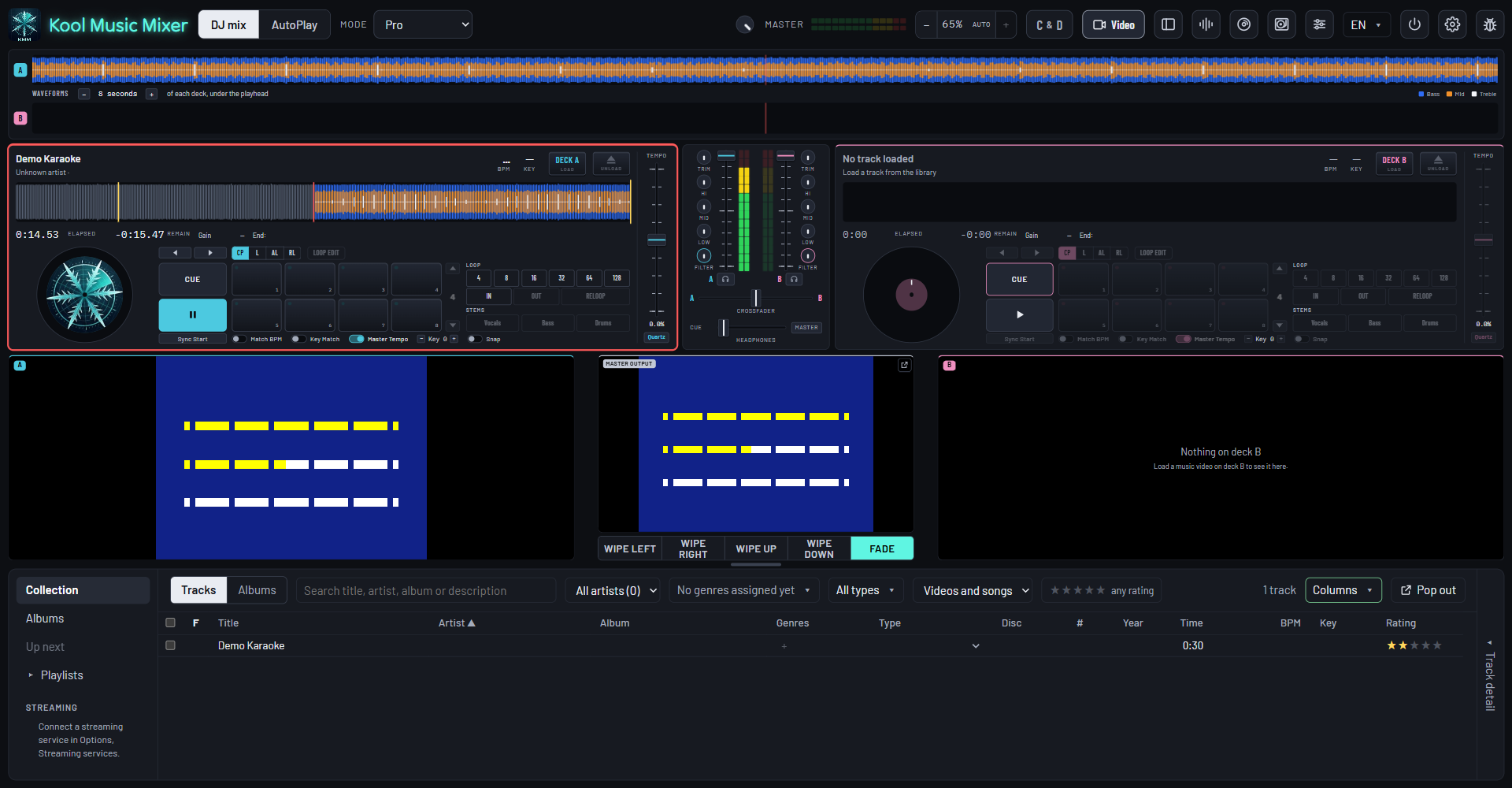
Your karaoke tracks
The words on the TV, in time.
Load a karaoke track on a deck and press Play. The lyric screen goes to the TV or projector, wherever a music video would.
MP3+CDG
The classic format. Keep each .mp3 beside its .cdg and the words come up in time, highlight and all.
MP4 karaoke videos
The words are in the picture, so they play like any music video.
The key for the singer
Move it a semitone at a time, without changing the tempo. The words stay in time.
Lyrics are shown only as they come inside your own karaoke tracks. The app never looks them up or writes them.
Your karaoke tracks, in the manualSign-ups by QR code
Singers sign up from their phones.
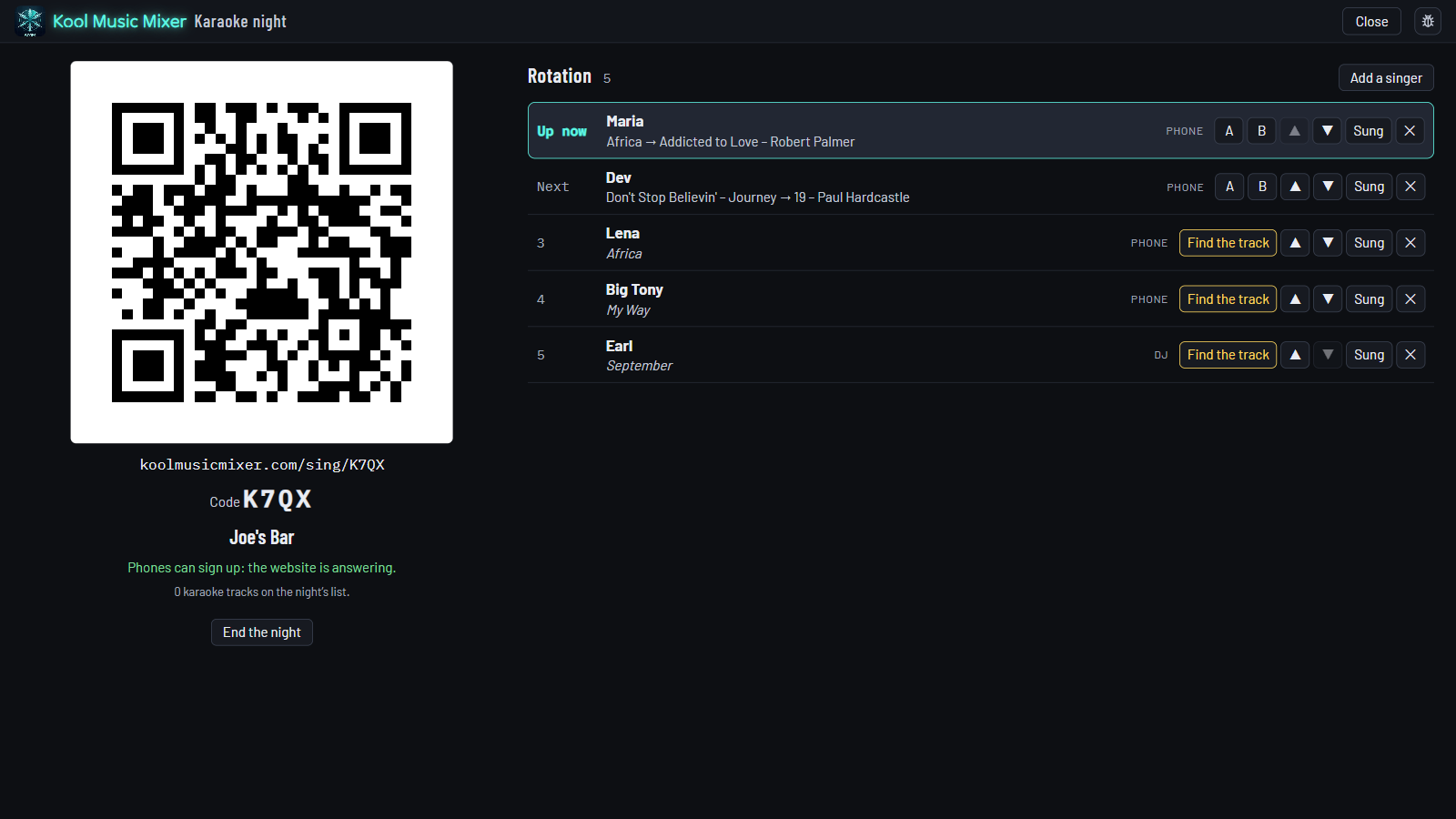
No paper slips, no app for them to install, no account. Between songs the TV shows the QR code and who is up next.
Scan
The QR code on the TV opens your night on their phone.
Pick a song
Search your karaoke list by title or artist, type a name, sign up.
"You're 3rd"
Their phone shows their place in line while they wait, and lets them cancel.
- Nothing reaches the screen unchecked. You pass each sign-up with one tap, and fix a name that is a bit too clever.
- Your list, your music. Phones see the titles and artists of your karaoke tracks, never the music, and all of it is deleted a day after the night ends.
The rotation
The singers in order, in their own tab.
The rotation sits under your library, or in a tab of its own. Everyone in order, with the song they picked.
- A or B loads a singer's track on that deck.
- Sung brings up the next singer; the arrows move anyone up or down.
- Add a singer by hand for someone without a phone.
Library and gigs
Karaoke when you want it, and only then.
Karaoke only
One click in the library lists every karaoke track you have, CDG and video.
Kept out of the dinner set
AutoPlay leaves karaoke out, so no backing track plays with its words up.
On the record
Starting a karaoke night starts a gig, so every song sung lands in gig history.
Turn it on in Options, Karaoke · Off as the app comes. Included in every plan, with no add-on: see pricing.
Karaoke after cake
Plan the night's moments, karaoke included, and run them from the decks.
Explore Mobile DJ →Mix it on the beat
From the last singer back to the dance floor: Sync Start, beat lock, Match Key.
Explore Mix →Every track ready
Tempo, key, beat grid and level, measured as your music arrives.
Explore Library →Add karaoke to your next gig.
Free during the beta. Register, download, and bring your karaoke tracks.