
AutoPlay
Press it and walk away.
It plays on by itself from your playlist, and brings each track in over the last at the moment a DJ would. All day, like a radio station.
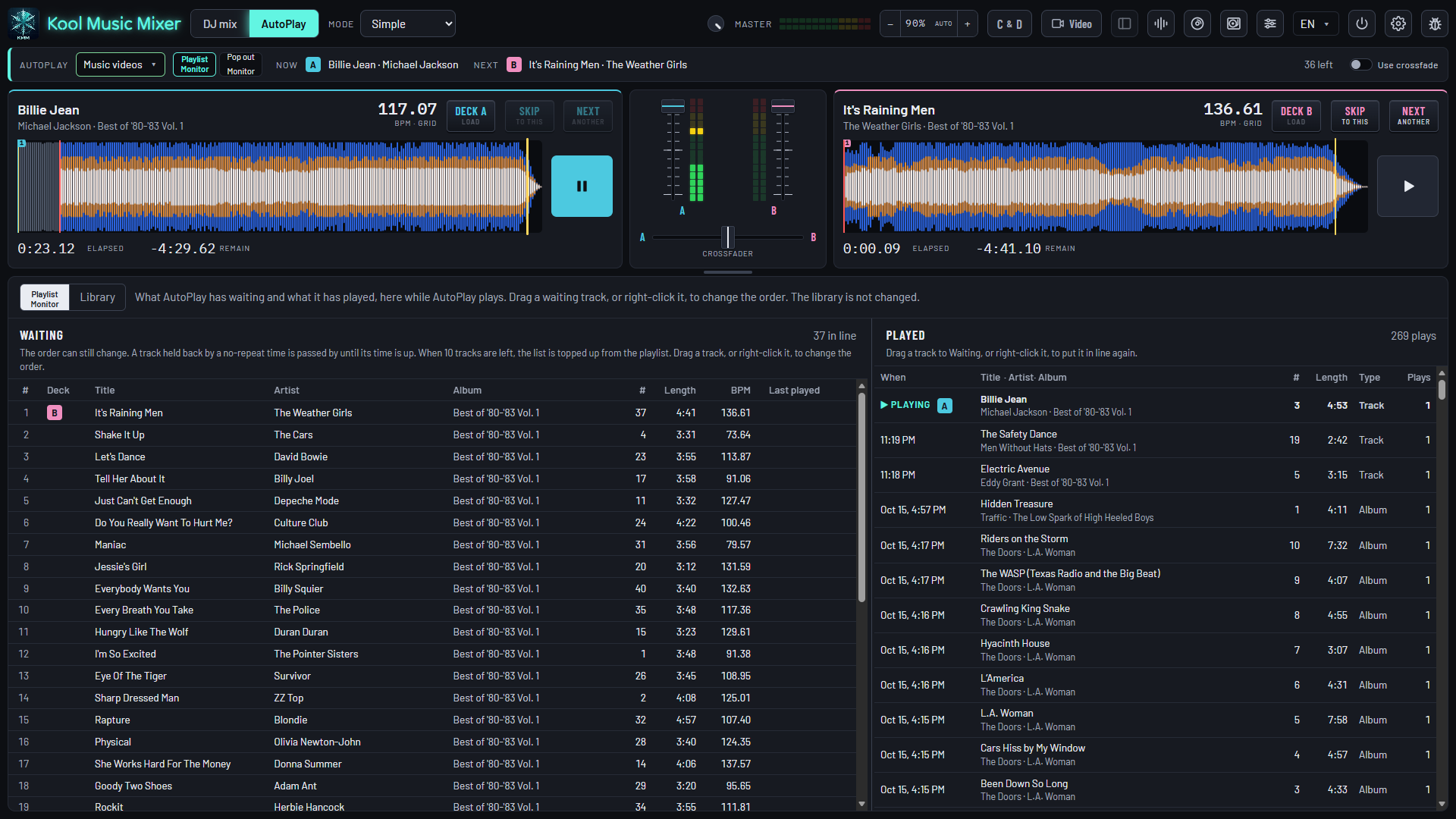
Automix
Every crossfade, placed for its pair.
It already knows where every song should hand over. Each mix is placed for those two songs, not set by a timer.
Fades and cold endings
A fade is mixed over. A cold ending is played to its last note.
One level
Every track at the same level. No reaching for the volume.
Skip, Next, requests
Skip and Next on each deck. Load a request yourself and it mixes into that.
What plays next
400 tracks, all day, none twice.
- No repeats: a song in every copy you own, the same recording under another title, an artist or a family of artists rests as long as you say.
- Every track gets its turn: the ones played least come first.
- Playlists in plain lines: what to play, what to leave out. No code.
- Songs only, music videos only, or both, playlist by playlist.
Advanced AutoPlay
Scheduled like a station.
Plan the day, the week and the year. AutoPlay follows the plan, with filters and repeat rules of its own.
Dayparts
The day in half-hour blocks, each with a format of its own.
Rotations
Straight from your genres or playlists: 2 classic rock, 3 Motown, 4 in-house promos, and round again.
The week
A format for each day of the week.
Holidays
Dates with a format of their own.
Seasons
Seasonal genres, such as Christmas music in December only.
Video AutoPlay
Put the videos on and let it play.
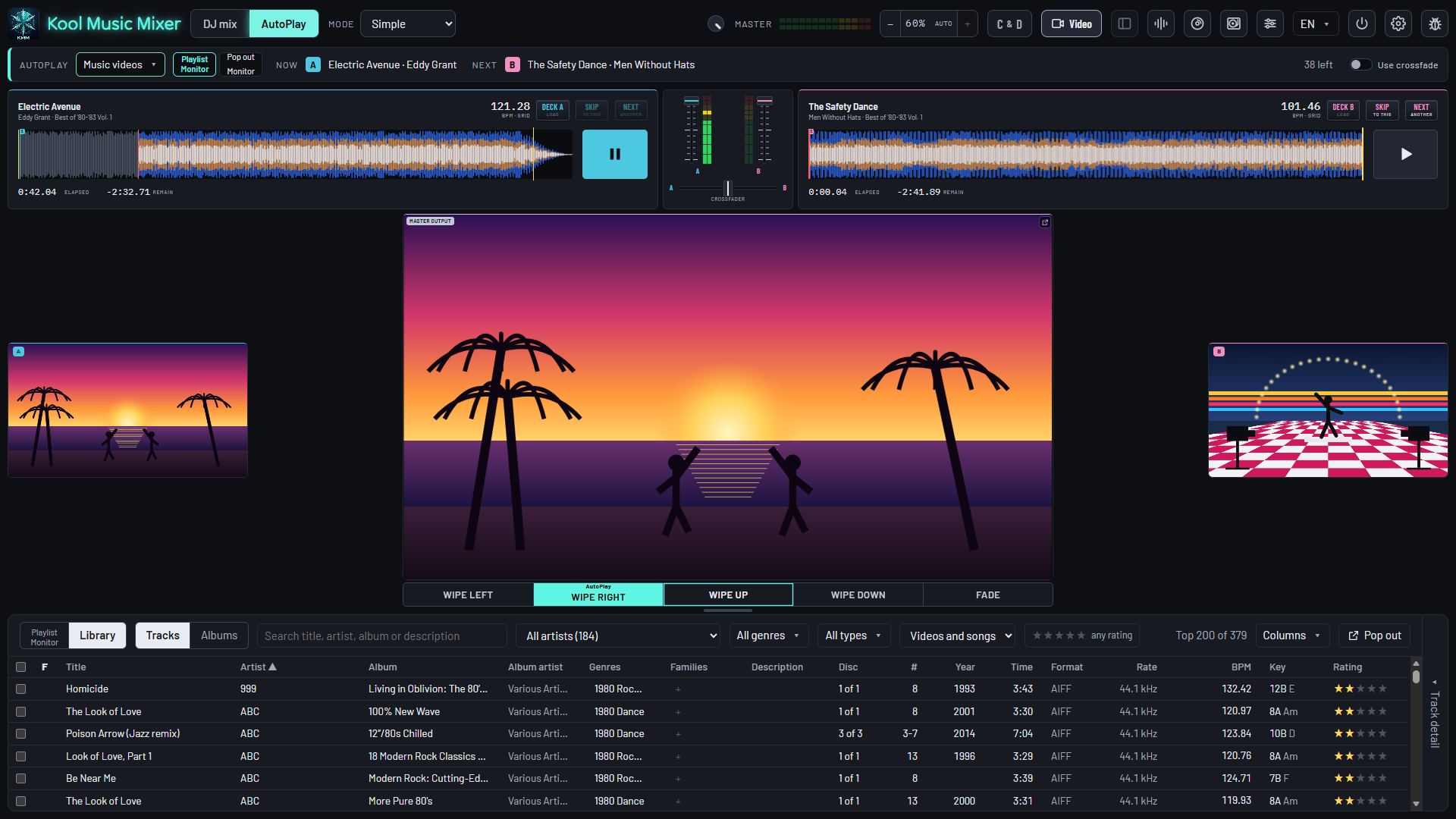
Make a playlist Video only and press AutoPlay. Your music videos play one into the next, on a screen laid out for watching.
- Its own transition: a wipe from any edge, or a fade.
- The master picture big, the decks small, what is on and next at the sides.
- Want to take over? Choose Pro: the full decks come back, the music plays on.
When you get home
An album, the way it was made.
For listening, not mixing: every track in order, gapless where the record is, at one level for the whole album.
- Hidden tracks found after the silence at the end of an album, and played on cue.
- Album playlists: line up a stack of records. Stop when you like; it carries on from that album.
- Side one to the end
- The record's order, each track to its last note. Nothing mixed.
- 0 gap
- Where one track runs into the next, it hears it and joins them seamlessly.
- 1 level per album
- Leveled as a whole, so the quiet track stays as quiet as it was mastered.
- 0–5 seconds
- Everywhere else, a pause of your choosing between tracks.
Take over the decks
Sync Start, beat lock and Match Key for the mixes you do yourself.
Explore Mix →Why it mixes so well
Every track measured: tempo, key, beat grid, how it ends, its level.
Explore Library →Dinner on AutoPlay
Hand the dinner hour over while you get the dance floor ready.
Explore Mobile DJ →A radio station that mixes itself.
Free during the beta. Register, download, and press AutoPlay tonight.